
New: the GoEasyERP extension for VS Code
You can now write a GoEasyERP extension app in VS Code and publish it to GoEasyERP running in a local Docker container.
An extension app adds tables, pages, fields, buttons, menu entries, texts and Go business logic without changing the base application.
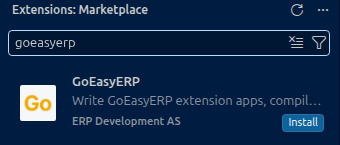
- Install it from the Extensions view: search for GoEasyERP, publisher ERP Development AS.
- Create a local container and a new app from the Command Palette.
- Press F5 to compile and publish the app, and see your change in the browser.
- You do not need to install Go: the extension provides it.
The step by step guide, How to set up the VS Code GoEasyERP extension, takes you from installation to your own field on the Customer Card.
Get the extension on the Marketplace.